
What Does Collate Mean When Printing
November 17, 2025 Custom Packaging
Wondering about the collate option, you might have seen it several times while printing a document. There are several factors you may consider to get the maximum results for your printing goals. What does collate printing meaning? This is the question asked by a lot of individuals. In this guide, you not only find the answer to this question but also cover topics related to this, such as:
- What does collate mean?
- How beneficial is it for your printing projects?
- What are the scenarios where it plays its role?
- What does collate mean when printing double-sided?
- What does collate mean when printing multiple copies?
- And last but not least, how can you enable and disable this?
Let’s dive into this topic and explore how this will shape your future printing projects.
What does collate mean when printing multiple copies?
In short, the word “collat” means to arrange the printed documents in a specific format. Rather than leaving your printed pages in a stack, gathering them in sequence will fulfill the user intent.
Let me explain this in the simplest way. Suppose you are printing five copies of a book that has 10 pages. How do the results change if we follow the collate method, and when we do not? Let’s learn the difference.
With collating:
In this mode, the printer will print a book, ranging from page 1 to 10, in a sorted form. Every page will appear in the exact position.
Without collating
While printing without turning on the collate feature, the printer will print by following the sequence protocol. Means it will all the pages step by neglecting the arrangement which needs manual sorting.
Collating Benefits for Printing
Collating is extremely helpful for the printing of multi-page documents. Before the introduction of this feature, people only relied on manual sorting. However, things have changed now; we are living in the modern age and prefer collaborating for the following reasons:
- Enhance accuracy: With this, you don’t need to worry about checking their sequence.
- Streamline distribution: Equally allocate the pages for the printing of each set.
- Gain professionalism: Printing in an organized manner forms a competent image.
- Strengthen efficiency: Enhance productivity by focusing you on other crucial tasks.
- Lower error chances: Overcome human flaws by automating the correct sequence
- Reduce time: Save your time wasted on manual sorting in bulk orders.
Real Life Scenario to Understand Collating Importance
Everyone wants to print their files in the proper sequence, as no one will want to read them, whether it’s a report, a novel, or a presentation. To grasp this more deeply, here are some examples in which the collate feature never compromises.
Planners
Ensure the positioning of each date and month on every printed page to make sure you never miss your special events.
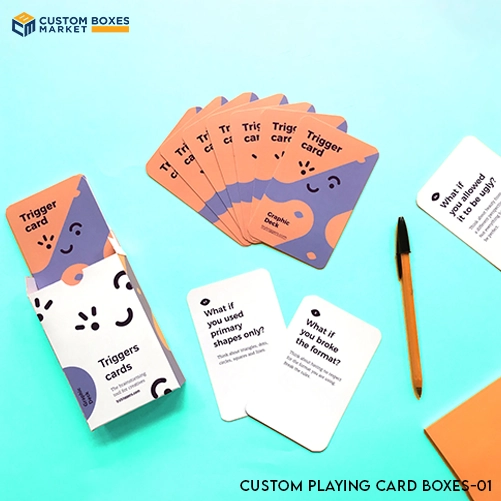
Playing cards
In the flash card game, the appearance of each card in its precise position uplifts the gaming experience.
Legal Documents
The right arrangement of pages in legal documents increases their authority, allowing readers to take them seriously.
Brochures
Pages printed in the logical order enhance customer experience, which builds a positive image for any business.
Manual guides
For users’ clear understanding, printing manuals and guides in the correct sequence is vital. This will create the word of mouth that leads to brand growth.
Presentations
Unerring order of the copies of documents makes sure every attendee gathers the correct information.
What does collate mean when printing double-sided?
The process is similar to the single-sided printing in a collate mode; the main difference is that this procedure has printing held on both sides. When starting printing in collate format, whether it is a multi-sided printing or a single-sided printing, the pages will be arranged in the correct format.
How to Enable or Disable Collating?
The way to change the setting enabling the feature of collating is dependent on the version of the operating system your client has. But for printing collate sheets, you can go to the printing settings, and there you will find the option of collate mode. If it seems difficult, you can also seek help from Google by entering your printing code.
Conclusion
Printing your pages in a collated format saves your time, which encourages you to focus on the task that needs your attention. Almost every printing machine has this built-in function. Once you turn on this, it will never exceed the page limit when a set is formed. Unlike manual collating, this feature allows you to handle several jobs at once. We are a packaging manufacturing company producing executive boxes at an affordable price in the USA. If you want us to give a completely new look to the packaging, then place your order today and let the ball roll.
Categories
Recent Posts

4 / March , 2026 Packaging Design
19 / February , 2026 Box Customization
16 / February , 2026 Box Material
3 / February , 2026 Gift Boxes

26 / January , 2026 Gift Boxes
6 / January , 2026 Sustainable Packaging

3 / December , 2025 Packaging Stats
17 / November , 2025 Custom Packaging
14 / November , 2025 Product By Industry
4 / November , 2025 Shipping Protection
28 / October , 2025 Custom Packaging
9 / October , 2025 Custom Packaging
Get Free Quote
Related Products